
AbeFroman
-
Joined
Posts posted by AbeFroman
-
-
-
 4
4
-
 1
1
-
 16
16
-
-
-
-
-
1
-
1
-
-
-
15 hours ago, mdmost said: Christian Clark is practicing with the 1s. Niblett with the 2s.
That was almost step for step Arch's touchdown vs A&M.
-
2
-
-
-
-
-
-
-
Just the way the weather is and the field every year, they should change the Pinstripe Bowl to the Doom and Gloom Bowl.
It's so gray and gloomy every year. It's like they're playing next to a haunted house.
-
1
-
-
-
-
If Jaydon Blue ever wants to play another snap he should emulate Malik Davis.
They're both small, but Davis runs with purpose. Jaydon pussy foots around.
-
1
-
-
-
6 minutes ago, lilMAC25 said:
Eh, gave it back to them on the “facemask” penalty just now
That was a terribly weak penalty.
We need to go back to tackling school.
-
1
-
-
-
-
3 minutes ago, DigDug said:
Is there a halftime show today?
Yeah they're going to have two dogs fucking at midfield, and everyone will laugh.
-
1
-
-
-
-
53 minutes ago, VirginiaLonghorn said:
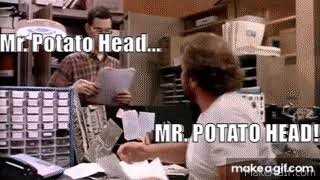
Appears Mr Potato Head is playing QB for both teams ..
Any excuse to insert a WarGames meme

-
1
-
2
-
-
-
1
-
Citrus Bowl, Dec 31st - Texas vs Michigan.
in Football
Got him right in his blooming onion.