
wavector
New Members
-
Joined
-
Last visited
-
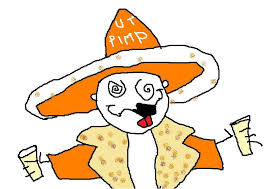
 Your team played lights out and it should have been a "W" for the Horns. That thread was epic. Anyway, War Eagle and Hook 'em Horns. Good luck and health to you all this year. I hope your QB heals up nicely. Hell of a game to watch. PS - On another note, the internet archives are missing the 2010 natty thread from the old shaggybevo site. I'd really like to revisit that thread, with the MS Paint illustrations and all. How is the UT pimp these days? LOL!
 -
wavector changed their profile photo
-
I'd like to get the status on his injury. He was on the sidelines with what look like nothing on his left shoulder. If there was edema, they would have kept ice on it. I hope it's not serious and he returns. UT could be bowl-eligible this year. Hook 'em Horns.
-
What a BS call. Us Auburn fans have long been dealing with the zebra bias for decades. Welcome to the SRC.
-
At least the mouth-breathers were ahead at the half.
-
It may be a separation injury or a stinger.



