


tx 3 putt
-
Joined
Posts posted by tx 3 putt
-
-
-
-
-
-
47 minutes ago, 956 Worldwide said: All Latin American food outside of Mexico and some of the Caribbean islands is pretty mid. God gave Mexico maybe the greatest cuisine on the planet and then shrugged as he went south. A few real gems like some South American ceviches and southern cone wine and grilled meats but none of it is close to a good mole or jerk.
seasoning doesn't exist past mexico. ive been to many many many asados in aregentina. they season salt and it ends there. the beef down there is so good, they it doesnt need much else
my last trip i took some tabasco with me and people would freak out when i added to my food. ive made bbq sauce before and it was no go downthere.
-
 4
4
-
-
-
-
1
-
 1
1
-
-
-
 3
3
-
 1
1
-
-
-
2 hours ago, Brisketexan said: The drugs: I love how it’s all about fentanyl fentanyl fentanyl, each boat strike saved 100,000 American lives! And then it became WAIT! It’s cocaine! Each boat strike saved 25,000 American lives! When, ummm….cocaine alone seems to have about 10k total overdose deaths per year.
What we’ve really prevented is some finance bros and club goers having bitchin’ weekend.
The plan/investment: what our regime doesn’t get in Venezuela is the same thing it doesn’t get about here, the US. What they don’t get is that traditional capital (and O&G is classic traditional capital) looks for some measure of stability and predictability before committing. It’s the reason you don’t see massive investments in new coal plants here and the like, and you don’t see car manufacturers ditching all hybrids and EV tech. They know that this regime’s psychotic vision is not one that will last. Well, they ain’t gonna pour trillions into Venezuela until they see organic - not forced - changes in Venezuela. If Venezuelan society eventually reaches a point where it desires and is friendly enough to foreign oil activity and investment, they’ll go in with real dollars. Until then, well…they see Afghanistan. It was a country of relative peace and stability, women had rights and education….until the US military pulled out and the Taliban largely picked up where they left off.
Unless and until the people and the leadership class change what they actually want, success depends on the US military being there to enforce it at gunpoint, and these guys know the American people don’t have the will for that long term.
Last point: I’d almost forgotten, my family had an opportunity to live in Caracas in the early 80s. Dad was offered a really good gig with a well known oilfield services company there. Mom vetoed it. We’d have lived in a “compound” and needed security, and she didn’t want that life, no matter how good the money was. My life sure would have been different if we had. Instead, stayed in stable suburban Houston.
Finally, watching idiots like magic soccerspray post pieces about how shitty Maduro etc were is entirely beside the point. Notice how nobody here has piped up to defend him in the regime? “They’re bad” is not a sufficient basis for the level of geopolitical action we are taking. And you need to have a good plan - with a good, competent team to manage it - to reach the end goal.
Oh, and one last thing after that: step up. Commit to your position on Greenland, Mexico, etc. You good with us just bulldozing in, conquering and taking what we want? I’m asking you now, so answer now.fentanyl - Chinese companies sell all the chemicals to the Mexican cartels. there are many many factories on the US / Texas border. Cartel manufactures fentanyl among all these factories. Cartel pays certain Border Patrol agents $10k / month to let one vehicle through a month. cough ***Saraita checkpoint*** cough cough
Cartel sets up rubes to get 'caught', all coordinate with BP and DEA contacts ....
this white supremist dumb ass had 33 lbs, cute. the truck behind him probably had 2 tons lols
KSMU Radio

Southern Missouri man made famous by white supremacist ra...
Teddy Joseph Von Nukem was a Missouri man made famous by appearing in a 2017 photo from a Charlottesville, Virginia white supremacist rally, as protesters carried torches and chanted “Jews will not re-
2
-
-
4 hours ago, Derka said: CDC set the standard with his “all top 10 programs” comments, and frankly he’s mostly delivered. it’s his job to make sure that the team has the resources it needs (which we absolutely do, we just don’t want to use them), and it’s Miller’s job to coach the team. that shit does not fall at the feet of the fans, especially when neither of those guys is holding up his own end of the bargain. this is Texas Basketball, a niche sport in an international city with a million other things to do and see. you don’t tell the basketball fans that we need to give CDC and sean miller money before either of them can just do (punches the white board) their job!!!
he's done an amazing job. he'll get this hire right eventually
-
-
-
-
-
-
-
-
1 hour ago, LTtxfan said: Interesting article... may not have a position in NFL ???
Solving the puzzle of Harold Perkins' fit in the NFL and why his 2026 NFL draft stock is a challenge to figure out
quit on his team and team mates
-
 1
1
-
-
45 minutes ago, MagicSoccerSpray said: Before the socialists took over, ending democracy, and wrecking the oil industry, Venezuela was considered one of the most stable and prosperous democracies in Latin America. Why wouldn't they have a chance to return to that?
did wanna be hitler mention democracy in his words today ?
-
1
-
-
-
1
-
-
-
-


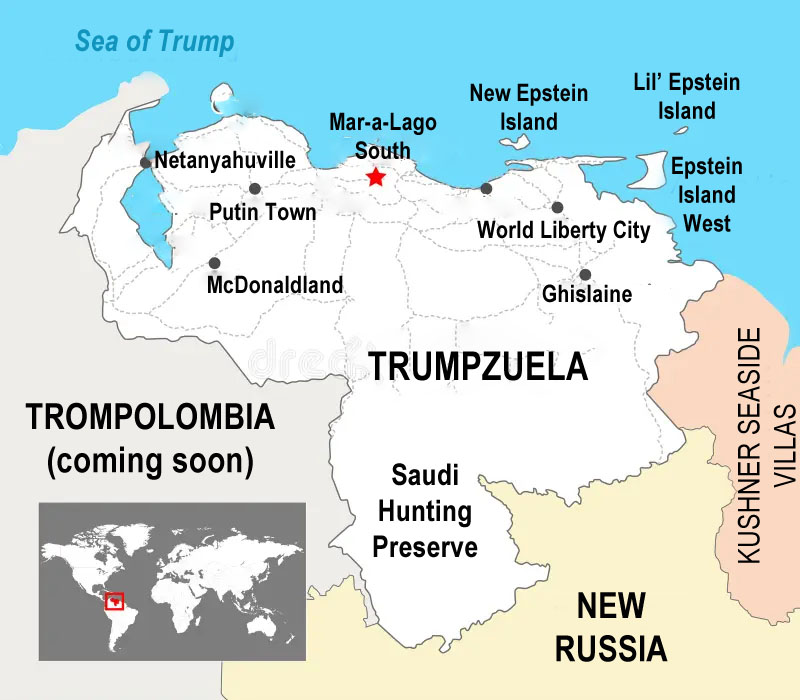


Things Not Going Well in Venezuela, 2.0
in Cloak Room
someone start a cuba thread. they'll fall very quickly. Cuban Americans are foaming at the mouth thinking about all that prime land they want to scoop up on the cheap