Sgt. Slaughter
Legacy Members
-
Joined
-
Last visited
Everything posted by Sgt. Slaughter
-
 The etc.
 -
Satya after the Tech game:
-
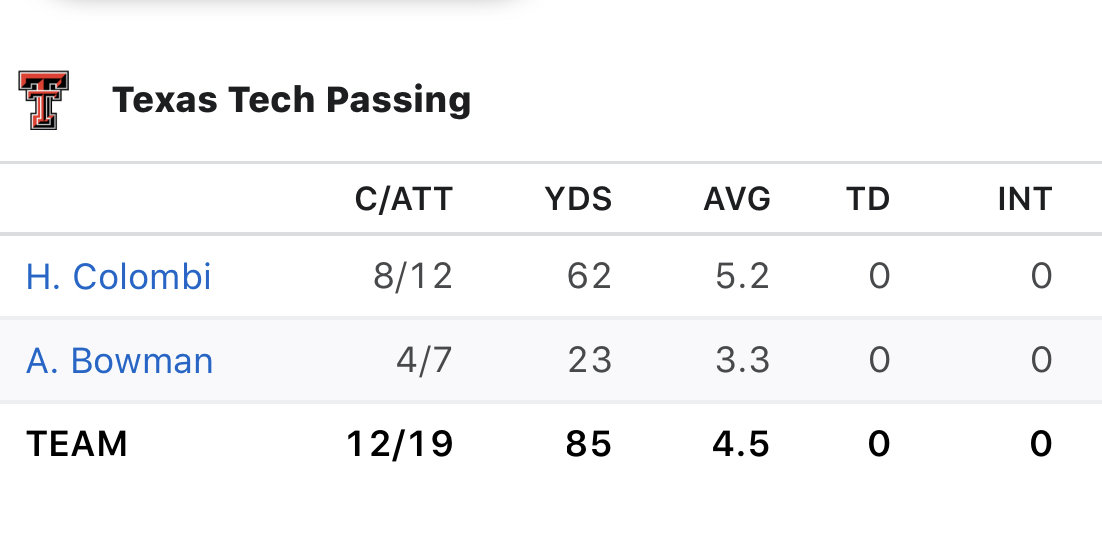
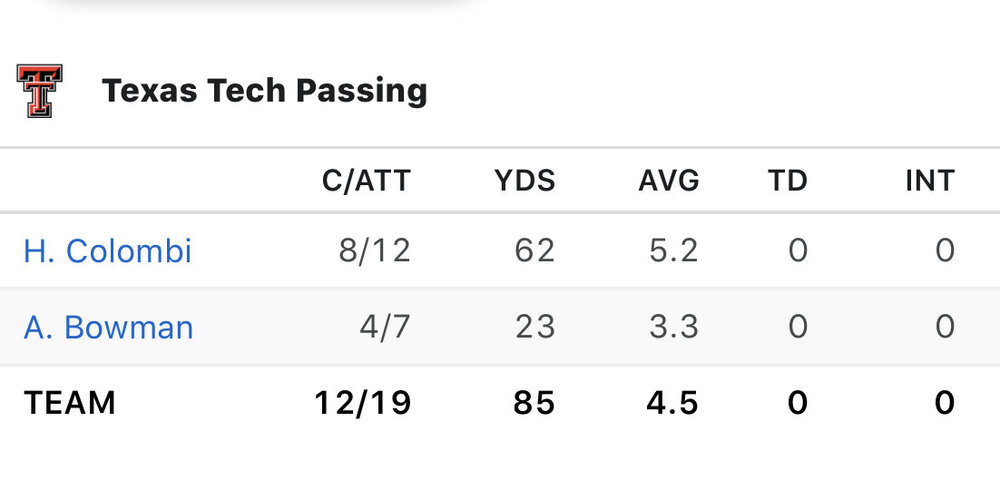
One big discrepancy in the team they had last week and the one Kstate is playing.
-
And, yet, TCU finds a way to field a competent defense.
Unverified, but likely.
 Might have to use this philosophy every year with the introduction of the transfer portal.
Pasadena is called Pasa - Get Down - Dena. Spent a fair amount of time there, the nickname is deserved.
This needs a NSFW warning.
Ryan Newsome had you focused on the coin flip while he took your watch and moved to Arizona.
Would you just cum already so we can all move on? Nobody cares about Andre Ware.
As strange as it may sound, recruits are much more capable of compartmentalizing the results of each game than us fuccbois.
We did, they just decided to suck the hype glizzy and get passed on the depth chart.
I thought this said “wait until their backups are against the wall” and it scared me to death.
They don’t have any Ark St level athletes.
Because she makes my glizzy soft.Football ... Basketball ... Baseball ... Other Sports ... Futbol ... 🤫995🤫 ... Gambling ... Movies & TV ... Music ... Hobbies ... Lulz ... Food & Travel ... Daily Texan ... Business & Markets ... Cloak Room ... Help ... For Sale ... Board Discussion ... Advertise... Tailgate Donations
Might have to use this philosophy every year with the introduction of the transfer portal.
Pasadena is called Pasa - Get Down - Dena. Spent a fair amount of time there, the nickname is deserved.
This needs a NSFW warning.
Ryan Newsome had you focused on the coin flip while he took your watch and moved to Arizona.
Would you just cum already so we can all move on? Nobody cares about Andre Ware.
As strange as it may sound, recruits are much more capable of compartmentalizing the results of each game than us fuccbois.
We did, they just decided to suck the hype glizzy and get passed on the depth chart.
I thought this said “wait until their backups are against the wall” and it scared me to death.
They don’t have any Ark St level athletes.
Because she makes my glizzy soft.Football ... Basketball ... Baseball ... Other Sports ... Futbol ... 🤫995🤫 ... Gambling ... Movies & TV ... Music ... Hobbies ... Lulz ... Food & Travel ... Daily Texan ... Business & Markets ... Cloak Room ... Help ... For Sale ... Board Discussion ... Advertise... Tailgate DonationsAccount
Search
Configure browser push notifications
Chrome (Android)
- Tap the lock icon next to the address bar.
- Tap Permissions → Notifications.
- Adjust your preference.
Chrome (Desktop)
- Click the padlock icon in the address bar.
- Select Site settings.
- Find Notifications and adjust your preference.
Safari (iOS 16.4+)
- Ensure the site is installed via Add to Home Screen.
- Open Settings App → Notifications.
- Find your app name and adjust your preference.
Safari (macOS)
- Go to Safari → Preferences.
- Click the Websites tab.
- Select Notifications in the sidebar.
- Find this website and adjust your preference.
Edge (Android)
- Tap the lock icon next to the address bar.
- Tap Permissions.
- Find Notifications and adjust your preference.
Edge (Desktop)
- Click the padlock icon in the address bar.
- Click Permissions for this site.
- Find Notifications and adjust your preference.
Firefox (Android)
- Go to Settings → Site permissions.
- Tap Notifications.
- Find this site in the list and adjust your preference.
Firefox (Desktop)
- Open Firefox Settings.
- Search for Notifications.
- Find this site in the list and adjust your preference.