

Vic Mackey
Legacy Members
-
Joined
Everything posted by Vic Mackey
-
 Lmao at upholding that as a TD. Just go ahead and forfeit the game at this point. He started to fumble that ball about a full yard before the goal line. Even live it didn't look like a TD.
Can either of these teams even stay close to a P4 top 25 team? They will get smoked for sure by anyone in the playoffs, and that includes shit ass Duke/Virginia. Love UNT as I have family and friends who went there and spent many great nights on Fry but they don't belong in a 12 team playoff. Expand this to 16-24 and sure, include them. Texas would beat either of these teams by 4-5 TDs.
.
Would be fucking awesome.
Lmao at upholding that as a TD. Just go ahead and forfeit the game at this point. He started to fumble that ball about a full yard before the goal line. Even live it didn't look like a TD.
Can either of these teams even stay close to a P4 top 25 team? They will get smoked for sure by anyone in the playoffs, and that includes shit ass Duke/Virginia. Love UNT as I have family and friends who went there and spent many great nights on Fry but they don't belong in a 12 team playoff. Expand this to 16-24 and sure, include them. Texas would beat either of these teams by 4-5 TDs.
.
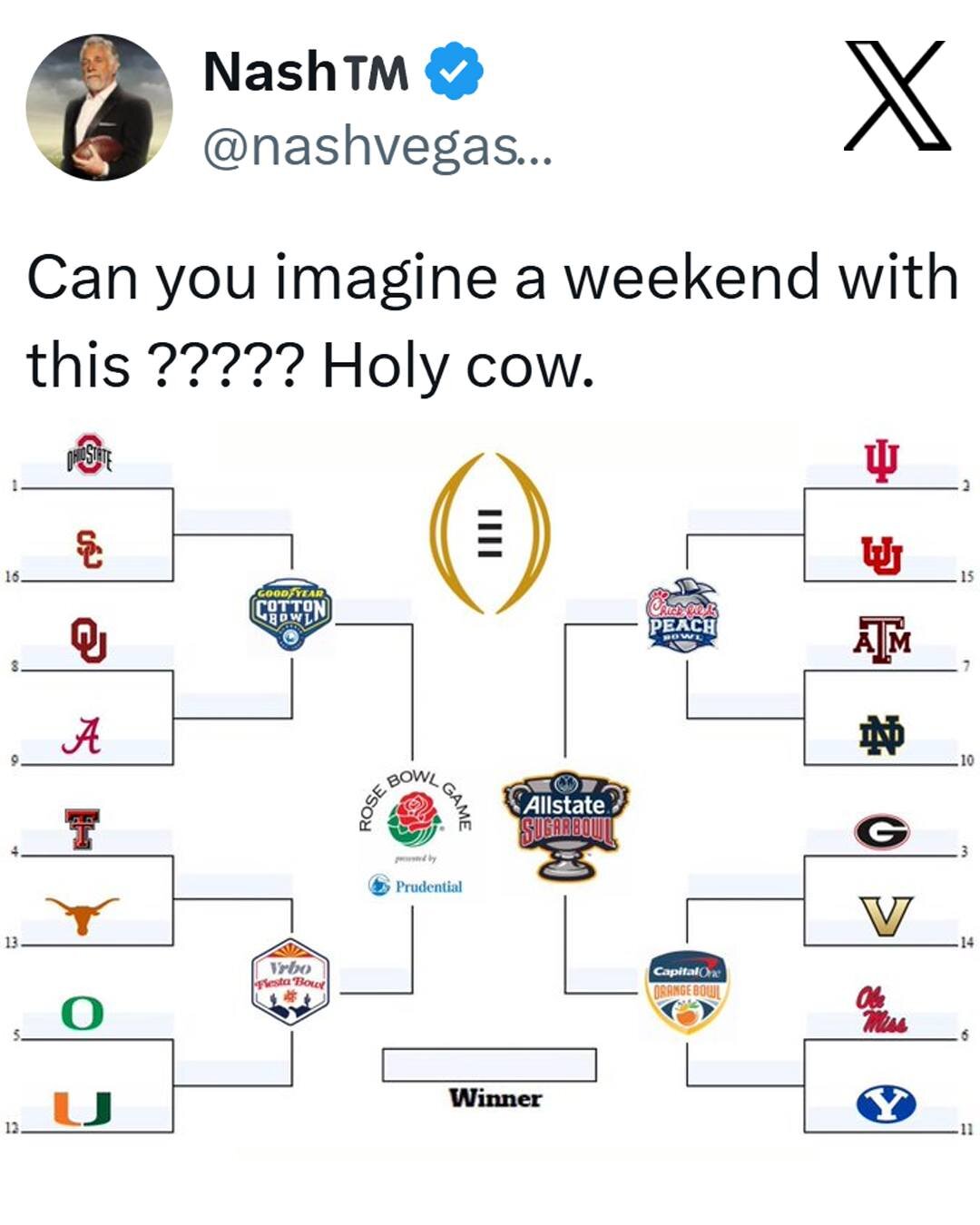
Would be fucking awesome.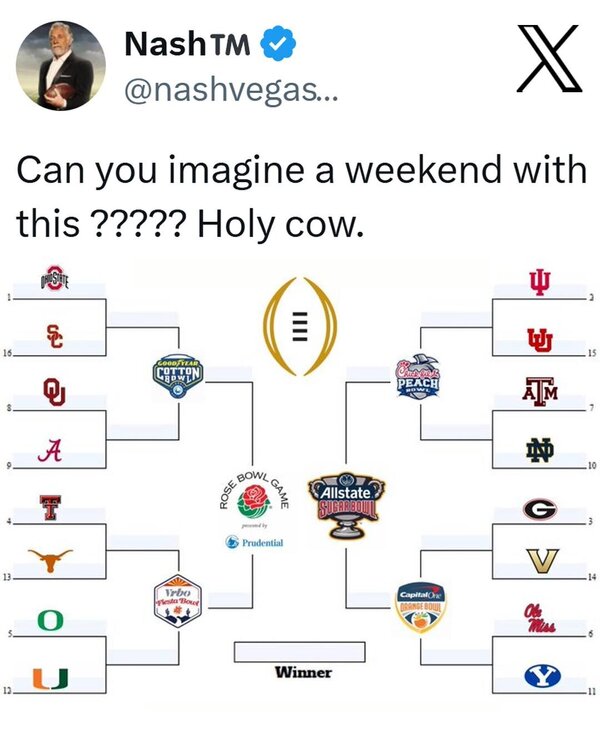 Expanding the field absolutely fixes the problem though. We went from 2 to 4 to 12. Get it even higher and the playoff committee becomes meaningless as any good team is getting in.
Pedo State settles on their 40th choice. Nice.
I can see that. I wonder how this will affect the people who get Netflix at a discount through certain channels. We get Netflix at a big discount through T-Mobile. But I imagine they will take this merger into account for these customers. Netflix no ads plus Max no ads currently is what price? We used to use my fiance's sister's Max account for years until they cracked down hard on password sharing a few months ago. We are currently shopping around for this app as we enjoy it. I see it being offered in the Hulu/Disney/Max bundle. We already have Hulu/Disney/ESPN+. I am perfectly happy to replace ESPN+ with Max. ESPN+ shows a whole bunch of lower tier games I don't care about. But with Hulu and Disney merging in 2026 and now this HBO/Netflix merger, no idea what will happen with this bundle.
How are the apps going to be handled? Will Netflix absorb everything on Max into their app or allow Max to stay a standalone app? We are seeing this with Disney and Hulu. They are going to combine into one next year. If you have both (we do), all of Hulu's content is already being shown in Disney's app. So much to unfold here. HBO's content dwarfs Netflix's to me, especially all of their original shows dating back almost 30 years,.
24 teams. Eliminate conference championship weekend, it's even now pointless with the 12 team playoff, would be even more pointless by doubling it. No byes. Everyone would start the playoffs this weekend. But with the 24 teams, shorten the season to 10 games. All conference games, no OOC. I'd rather see this than pointless games against junk G5 teams. I know this will never happen but my preference. If not 24, then do 16 with 4 byes. 12 isn't enough.
I mean the players are playing to win. They don't care about draft picks. I don't fault them for winning and they played damn good and won 2 games most gave them no shot to win. Always fun to beat the Eagles. Also not sure how many garbage wins Dak has throughout his career, I'm sure you are referring to wins that mean nothing to making the playoffs? Last year he was hurt early. 2021-2023 made the playoffs, none there. 2020 he was hurt early on. 2016 and 2018 made the playoffs, none there. That leaves 2017 and 2019. Both those years, Dallas melted down in the later part of the year and lost a lot of games. They didn't have a terrible record to start and won a bunch of pointless games that meant nothing. Quite the opposite actually.
Well damn
Bama only has 2 losses, though. Not 3. They found a way to beat a shitty Auburn team. We didn't find a way to beat a shitty Florida team. That's the difference. But what keeps getting ignored is that Texas is 0-5 against Georgia and Ohio State in a year period of time. That's the real issue here.Football ... Basketball ... Baseball ... Other Sports ... Futbol ... 🤫995🤫 ... Gambling ... Movies & TV ... Music ... Hobbies ... Lulz ... Food & Travel ... Daily Texan ... Business & Markets ... Cloak Room ... Help ... For Sale ... Board Discussion ... Advertise... Tailgate Donations
Expanding the field absolutely fixes the problem though. We went from 2 to 4 to 12. Get it even higher and the playoff committee becomes meaningless as any good team is getting in.
Pedo State settles on their 40th choice. Nice.
I can see that. I wonder how this will affect the people who get Netflix at a discount through certain channels. We get Netflix at a big discount through T-Mobile. But I imagine they will take this merger into account for these customers. Netflix no ads plus Max no ads currently is what price? We used to use my fiance's sister's Max account for years until they cracked down hard on password sharing a few months ago. We are currently shopping around for this app as we enjoy it. I see it being offered in the Hulu/Disney/Max bundle. We already have Hulu/Disney/ESPN+. I am perfectly happy to replace ESPN+ with Max. ESPN+ shows a whole bunch of lower tier games I don't care about. But with Hulu and Disney merging in 2026 and now this HBO/Netflix merger, no idea what will happen with this bundle.
How are the apps going to be handled? Will Netflix absorb everything on Max into their app or allow Max to stay a standalone app? We are seeing this with Disney and Hulu. They are going to combine into one next year. If you have both (we do), all of Hulu's content is already being shown in Disney's app. So much to unfold here. HBO's content dwarfs Netflix's to me, especially all of their original shows dating back almost 30 years,.
24 teams. Eliminate conference championship weekend, it's even now pointless with the 12 team playoff, would be even more pointless by doubling it. No byes. Everyone would start the playoffs this weekend. But with the 24 teams, shorten the season to 10 games. All conference games, no OOC. I'd rather see this than pointless games against junk G5 teams. I know this will never happen but my preference. If not 24, then do 16 with 4 byes. 12 isn't enough.
I mean the players are playing to win. They don't care about draft picks. I don't fault them for winning and they played damn good and won 2 games most gave them no shot to win. Always fun to beat the Eagles. Also not sure how many garbage wins Dak has throughout his career, I'm sure you are referring to wins that mean nothing to making the playoffs? Last year he was hurt early. 2021-2023 made the playoffs, none there. 2020 he was hurt early on. 2016 and 2018 made the playoffs, none there. That leaves 2017 and 2019. Both those years, Dallas melted down in the later part of the year and lost a lot of games. They didn't have a terrible record to start and won a bunch of pointless games that meant nothing. Quite the opposite actually.
Well damn
Bama only has 2 losses, though. Not 3. They found a way to beat a shitty Auburn team. We didn't find a way to beat a shitty Florida team. That's the difference. But what keeps getting ignored is that Texas is 0-5 against Georgia and Ohio State in a year period of time. That's the real issue here.Football ... Basketball ... Baseball ... Other Sports ... Futbol ... 🤫995🤫 ... Gambling ... Movies & TV ... Music ... Hobbies ... Lulz ... Food & Travel ... Daily Texan ... Business & Markets ... Cloak Room ... Help ... For Sale ... Board Discussion ... Advertise... Tailgate Donations











Account
Search
Configure browser push notifications
Chrome (Android)
- Tap the lock icon next to the address bar.
- Tap Permissions → Notifications.
- Adjust your preference.
Chrome (Desktop)
- Click the padlock icon in the address bar.
- Select Site settings.
- Find Notifications and adjust your preference.
Safari (iOS 16.4+)
- Ensure the site is installed via Add to Home Screen.
- Open Settings App → Notifications.
- Find your app name and adjust your preference.
Safari (macOS)
- Go to Safari → Preferences.
- Click the Websites tab.
- Select Notifications in the sidebar.
- Find this website and adjust your preference.
Edge (Android)
- Tap the lock icon next to the address bar.
- Tap Permissions.
- Find Notifications and adjust your preference.
Edge (Desktop)
- Click the padlock icon in the address bar.
- Click Permissions for this site.
- Find Notifications and adjust your preference.
Firefox (Android)
- Go to Settings → Site permissions.
- Tap Notifications.
- Find this site in the list and adjust your preference.
Firefox (Desktop)
- Open Firefox Settings.
- Search for Notifications.
- Find this site in the list and adjust your preference.