
Jump to content
View in the app

A better way to browse. Learn more.

Surly Horns

A full-screen app on your home screen with push notifications, badges and more.

To install this app on iOS and iPadOS
  1. Tap the Share icon in Safari
  2. Scroll the menu and tap Add to Home Screen.
  3. Tap Add in the top-right corner.
To install this app on Android
  1. Tap the 3-dot menu (⋮) in the top-right corner of the browser.
  2. Tap Add to Home screen or Install app.
  3. Confirm by tapping Install.
Football ... Basketball ... Baseball ... Other Sports ... Futbol ... 🤫995🤫 ... Gambling ... Movies & TV ... Music ... Hobbies ... Lulz ... Food & Travel ... Daily Texan ... Business & Markets ... Cloak Room ... Help ... For Sale ... Board Discussion ... Advertise... Tailgate Donations

DougHdTx1968

New Members
  • Joined

  • Last visited

  1. When's the 10-year anniversary of those bolt-ons? Is there a warranty period?
  2. Probably just confused it with another site. Happens all the time.
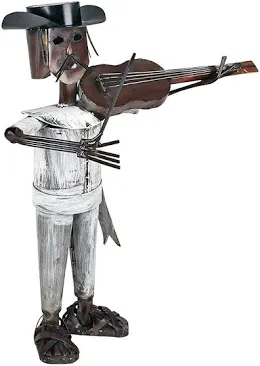
  3. Authentic pieces from native artisans showcasing their culture
  4. they sell them across from Mi Tierra
  5. "new" is is doing a lot of lifting here. Pretty sure they were boosted from a cadaver
  6. how does this break down into user seconds
  7. I assume the ads on this site work thusly: 1. Plaster the spammiest, most annoying ads possible on as much of each page as possible 2. Wait for some troglodyte with three fingers on his right hand to click one by accident 3. ??? 4. Profit 4b. Invest in a barbecue place, I guess
  8. also what is a Derka
  9. That doesn’t sound funny at all
  10. what about Mongoloid? as in, “Goddammit, Derka is a fucking mongoloid” and does anything change if he claims Asian ancestry
  11. How much do these weigh
  12. How creative are you
Football ... Basketball ... Baseball ... Other Sports ... Futbol ... 🤫995🤫 ... Gambling ... Movies & TV ... Music ... Hobbies ... Lulz ... Food & Travel ... Daily Texan ... Business & Markets ... Cloak Room ... Help ... For Sale ... Board Discussion ... Advertise... Tailgate Donations

Configure browser push notifications

Chrome (Android)
  1. Tap the lock icon next to the address bar.
  2. Tap Permissions → Notifications.
  3. Adjust your preference.
Chrome (Desktop)
  1. Click the padlock icon in the address bar.
  2. Select Site settings.
  3. Find Notifications and adjust your preference.