

bigcigar
Certifiably Surly
-
Joined
-
Last visited
Everything posted by bigcigar
-
My quick troll google came back with 10TB https://www.gamesradar.com/this-wd-hard-drive-can-hold-the-entire-game-pass-library-4-times-and-still-have-space-left-over/ I fit squarely in the normal category. My storage consists of family pictures my wife takes and stupid pictures of my friends, food and sometimes the kids…largely isolated to phones with a 2TB apple family share plan (because wife maxed out 200GB). I stream everything, use my friends youtubetv account for sports and generally have a pretty low data footprint outside of phones. Except gamepass…always close to capacity on the Xbox between stuff I try and stuff my kids play (doesn’t take much). To get around this pain, I upgraded to a 2 gbps which moved Xbox downloads from 300-500mbps to 800-850mbps. I don’t swap games often, but like downloading faster than my friends when we’re online together. Obviously not super rational. It doesn’t seem like I’m in the target market, but if I paid $30/month more for bandwidth that really doesn’t benefit me much, I’d think an option to save that by just having all games might make sense. I’m a middle aged idiot though so probably not or I’d have bought more storage already.
-
100tb for gamepass library + 3tb for everything else. Maybe $10/month because @Celery Man made a good point.
-
3.5TB. tree fiddy
-
-
-
-
Disagree. Hunter was far less set
-
They’ve called much less a charge for sure
-
More bullshit
-
That’s bullshit
-
In a pretty small tournament pool that’s half aggy. Nice to not really sweat the outcome after the first weekend. Pretty much every bracket had aggy in the final 4
-
Nm
I’m amazed we scored 3 points against this TCU defense. They’re incredible
Seems fucking criminal - especially the disability. Hopefully they’re told to get additional disability on their own…still $4k a month?
Very tech like PK
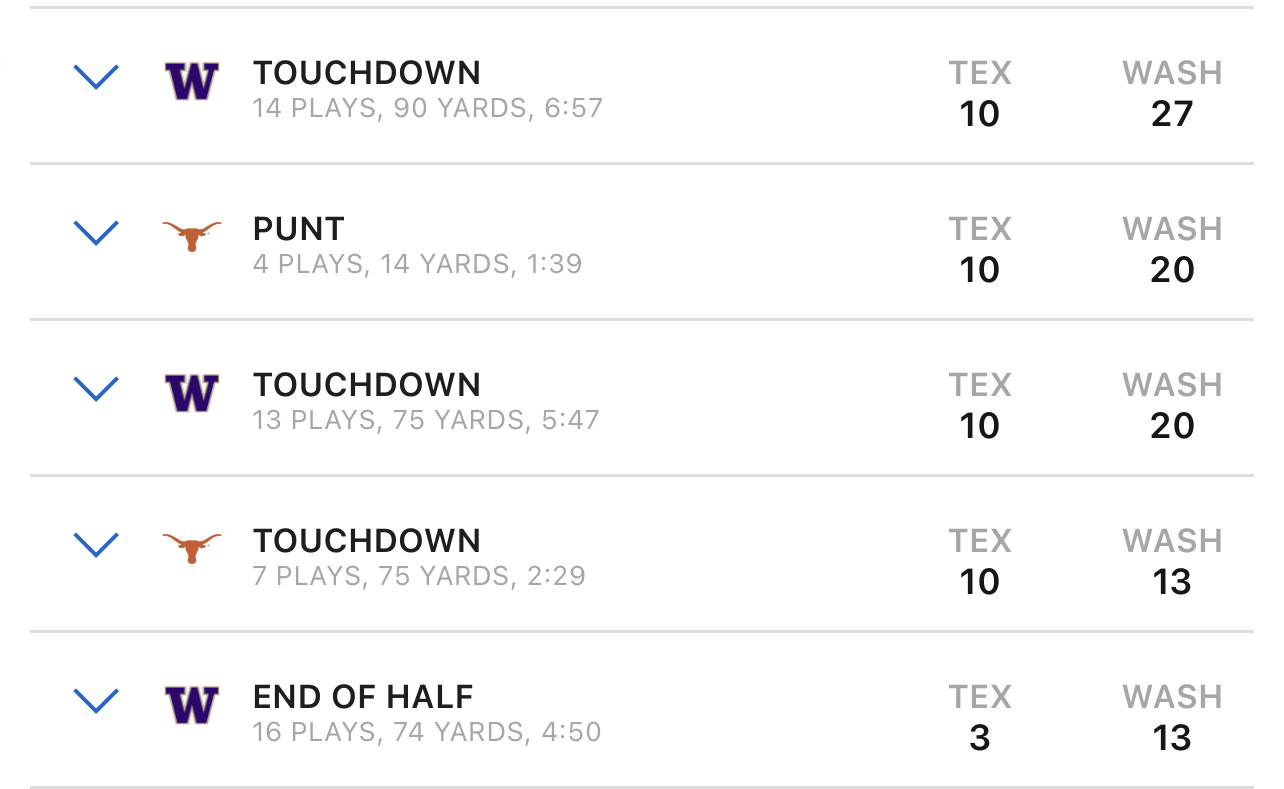
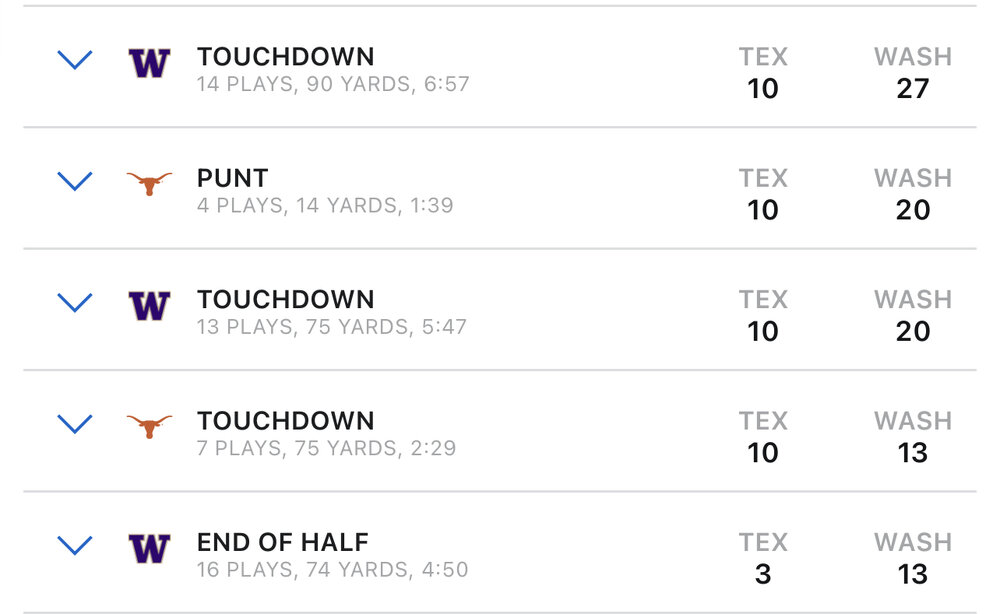 This team is so weak
Not chilis. Sky rocket in north Dallas
Maybe we can get the TCU punter to transfer in as an EDGE. He’s sure to manufacture some holds.
Yeah…only mentioned bc I saw an update and chilis are everywhere. I wouldn’t think Ardmore is the top secret test kitchen of chilis, but guess I could be wrong.
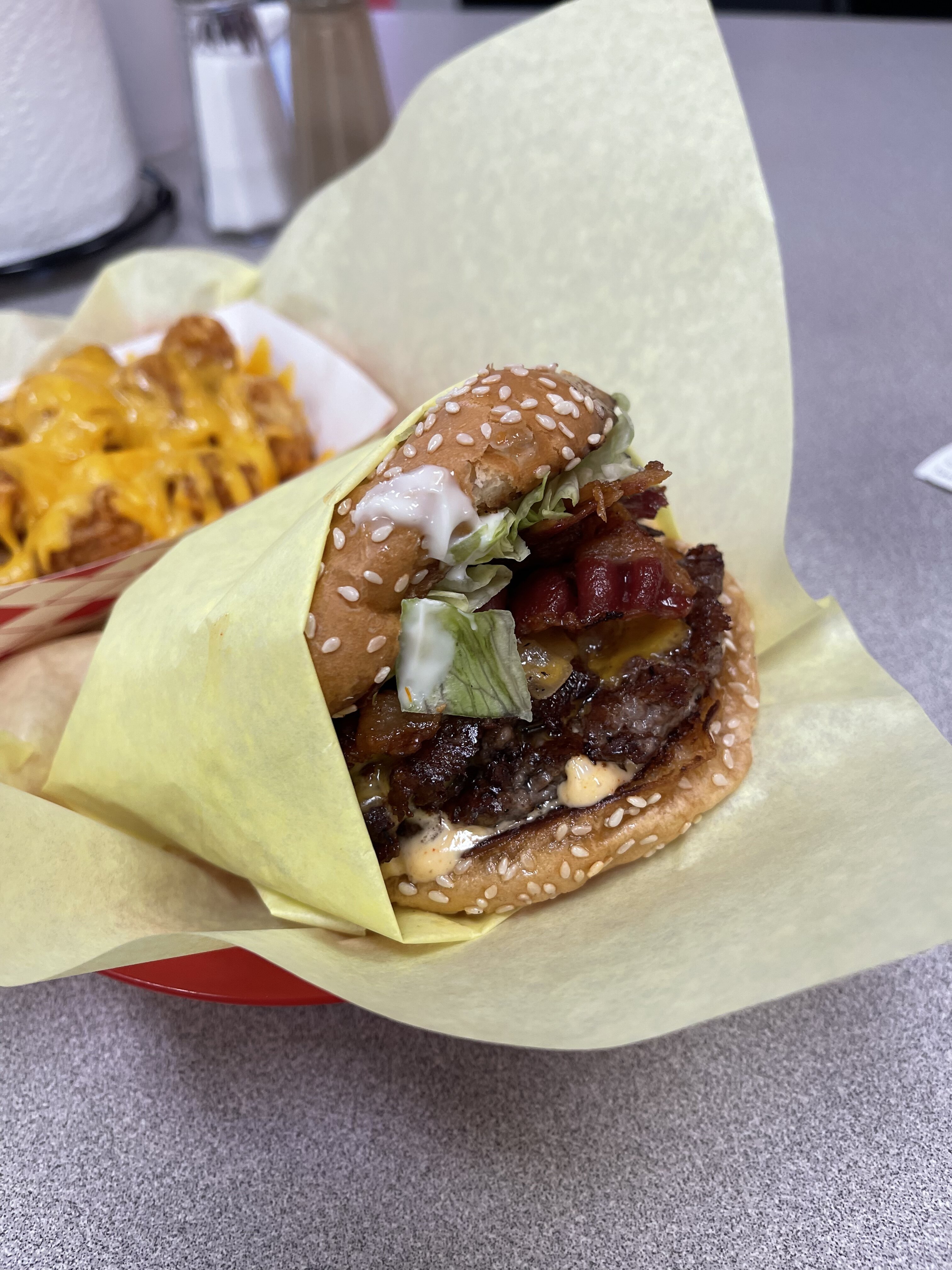
Speaking of burgers, I had to stop and feed the kid dinner on the way to Stillwater in October. We were in Ardmore and ended up at chilis. The burger was actually really good - had a great sear and the meat didn’t seem prepackaged / frozen hockey puck. It actually had a bit of crumble to it. Kind of a shocking experience.
Jones being nasty in the second clip too. What a great development…wish the guy the best
This team is so weak
Not chilis. Sky rocket in north Dallas
Maybe we can get the TCU punter to transfer in as an EDGE. He’s sure to manufacture some holds.
Yeah…only mentioned bc I saw an update and chilis are everywhere. I wouldn’t think Ardmore is the top secret test kitchen of chilis, but guess I could be wrong.
Speaking of burgers, I had to stop and feed the kid dinner on the way to Stillwater in October. We were in Ardmore and ended up at chilis. The burger was actually really good - had a great sear and the meat didn’t seem prepackaged / frozen hockey puck. It actually had a bit of crumble to it. Kind of a shocking experience.
Jones being nasty in the second clip too. What a great development…wish the guy the best




Football ...
Basketball ...
Baseball ...
Other Sports ...
Futbol ...
🤫995🤫 ...
Gambling ...
Movies & TV ...
Music ...
Hobbies ...
Lulz ...
Food & Travel
...
Daily Texan ...
Business & Markets ...
Cloak Room ...
Help ...
For Sale ...
Board Discussion ...
Advertise...
Tailgate Donations
Account
Search
Configure browser push notifications
Chrome (Android)
- Tap the lock icon next to the address bar.
- Tap Permissions → Notifications.
- Adjust your preference.
Chrome (Desktop)
- Click the padlock icon in the address bar.
- Select Site settings.
- Find Notifications and adjust your preference.
Safari (iOS 16.4+)
- Ensure the site is installed via Add to Home Screen.
- Open Settings App → Notifications.
- Find your app name and adjust your preference.
Safari (macOS)
- Go to Safari → Preferences.
- Click the Websites tab.
- Select Notifications in the sidebar.
- Find this website and adjust your preference.
Edge (Android)
- Tap the lock icon next to the address bar.
- Tap Permissions.
- Find Notifications and adjust your preference.
Edge (Desktop)
- Click the padlock icon in the address bar.
- Click Permissions for this site.
- Find Notifications and adjust your preference.
Firefox (Android)
- Go to Settings → Site permissions.
- Tap Notifications.
- Find this site in the list and adjust your preference.
Firefox (Desktop)
- Open Firefox Settings.
- Search for Notifications.
- Find this site in the list and adjust your preference.