
Lone Star Horn
Certifiably Surly
-
Joined
-
Last visited
Everything posted by Lone Star Horn
-
 Pre means before and post means after, to use both at the same time would be... preposterous!
 -
it's turdition
-
I guess so, either that or I'm approaching Brat territory and age is making me lose my mind.
-
Yoda had a last name. It was Layheehoo
-
Did any Star Wars fans out there know Yoda has a last name? It's Layheehoo
-
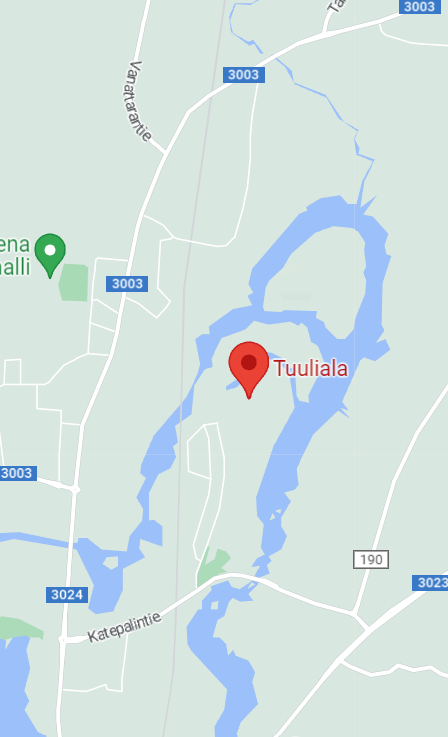
placing this here, because some of his best work was about aggy. I found out where @THUJONE lives. It's in Finland, and I believe he lives on the penis-ula
 I don't pay attention to athlete Nike shoes. Just to be clear, LeBron's debut Nike shoes were fucking Ronald McDonald knockoffs??
Is she smiling or grimacing from the remembered pain?
or unlike poor Norman, he doesn't like peanut butter.
Well, considering that the typical aggy couldn't win a fight against a 5 year old little girl, it's easy to understand why they wouldn't try to pick a fight with you.
I don't pay attention to athlete Nike shoes. Just to be clear, LeBron's debut Nike shoes were fucking Ronald McDonald knockoffs??
Is she smiling or grimacing from the remembered pain?
or unlike poor Norman, he doesn't like peanut butter.
Well, considering that the typical aggy couldn't win a fight against a 5 year old little girl, it's easy to understand why they wouldn't try to pick a fight with you. Football ... Basketball ... Baseball ... Other Sports ... Futbol ... 🤫995🤫 ... Gambling ... Movies & TV ... Music ... Hobbies ... Lulz ... Food & Travel ... Daily Texan ... Business & Markets ... Cloak Room ... Help ... For Sale ... Board Discussion ... Advertise... Tailgate Donations
Account
Search
Configure browser push notifications
Chrome (Android)
- Tap the lock icon next to the address bar.
- Tap Permissions → Notifications.
- Adjust your preference.
Chrome (Desktop)
- Click the padlock icon in the address bar.
- Select Site settings.
- Find Notifications and adjust your preference.
Safari (iOS 16.4+)
- Ensure the site is installed via Add to Home Screen.
- Open Settings App → Notifications.
- Find your app name and adjust your preference.
Safari (macOS)
- Go to Safari → Preferences.
- Click the Websites tab.
- Select Notifications in the sidebar.
- Find this website and adjust your preference.
Edge (Android)
- Tap the lock icon next to the address bar.
- Tap Permissions.
- Find Notifications and adjust your preference.
Edge (Desktop)
- Click the padlock icon in the address bar.
- Click Permissions for this site.
- Find Notifications and adjust your preference.
Firefox (Android)
- Go to Settings → Site permissions.
- Tap Notifications.
- Find this site in the list and adjust your preference.
Firefox (Desktop)
- Open Firefox Settings.
- Search for Notifications.
- Find this site in the list and adjust your preference.