

tx ind
Legacy Members
-
Joined
-
Last visited
Everything posted by tx ind
-
 Very low energy is the only way to describe it.
 -
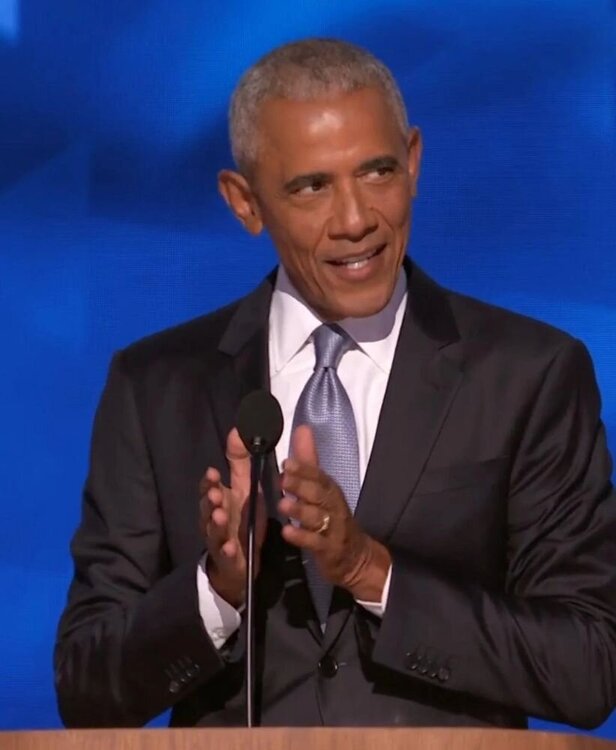
In the comments of the first post up there, perfect
-
Describing it as small is infinitely generous
-
-
Whats the Esso reference?
-
PERADE
-
This has been bound to happen since the attempt on Whitmer and Trump mentioning pardoning those criminals. And it will continue to happen.
-
-
Walz press conference, one of the law makers and her husband are dead, waiting for him to talk about the other The other lawmaker and his wife are out of surgery but expected to make it, shot multiple times
-
Shouldn’t they also be arresting the parents for endangering their children because they left their kids in the care of dangerous immigrants?
The only thing surprising about this is that it took them that long to go after taco trucks after the TACO nickname.
Moar! Call out their hypocrisy in very clear and simple ways and continue doing it.
It’s 100% Trump’s fault for pulling out of the Iran nuclear deal back in 2018.
To be fair to Turner he filled SJLs seat after she passed and hot wheels hasn’t set an election
Probably not the right thread for this but the Padilla shit up there makes me think we’re closer to a 1979 Iraq event than we think.
Every single Democrat needs to post this video and blast it. That is heart breaking.
They must have forgotten their bootstraps when they left home.
We will get George Floyd level of protests, maybe not this weekend. If there isn’t a bunch of chaos this weekend Dotard will figure out a way to pardon Chauvin just to get a reaction out of the masses.
Conroe on Saturday
 That’s fine, we can shit on him for the security at his companies then.
Simulation is real. Kash Patel was on Rogan show while the shit when down.
That’s fine, we can shit on him for the security at his companies then.
Simulation is real. Kash Patel was on Rogan show while the shit when down.







Football ...
Basketball ...
Baseball ...
Other Sports ...
Futbol ...
🤫995🤫 ...
Gambling ...
Movies & TV ...
Music ...
Hobbies ...
Lulz ...
Food & Travel
...
Daily Texan ...
Business & Markets ...
Cloak Room ...
Help ...
For Sale ...
Board Discussion ...
Advertise...
Tailgate Donations
Account
Search
Configure browser push notifications
Chrome (Android)
- Tap the lock icon next to the address bar.
- Tap Permissions → Notifications.
- Adjust your preference.
Chrome (Desktop)
- Click the padlock icon in the address bar.
- Select Site settings.
- Find Notifications and adjust your preference.
Safari (iOS 16.4+)
- Ensure the site is installed via Add to Home Screen.
- Open Settings App → Notifications.
- Find your app name and adjust your preference.
Safari (macOS)
- Go to Safari → Preferences.
- Click the Websites tab.
- Select Notifications in the sidebar.
- Find this website and adjust your preference.
Edge (Android)
- Tap the lock icon next to the address bar.
- Tap Permissions.
- Find Notifications and adjust your preference.
Edge (Desktop)
- Click the padlock icon in the address bar.
- Click Permissions for this site.
- Find Notifications and adjust your preference.
Firefox (Android)
- Go to Settings → Site permissions.
- Tap Notifications.
- Find this site in the list and adjust your preference.
Firefox (Desktop)
- Open Firefox Settings.
- Search for Notifications.
- Find this site in the list and adjust your preference.