

Bullneck
Certifiably Surly
-
Joined
-
Last visited
Everything posted by Bullneck
-
 An onside kick that looked good until it didn't by UTSA, now an INT. Shaping up to be a good game!
I see Wismer is portalling. I barely know who any of our players are in best of times. I'm disgruntled.
It seems so much less compact that embedded Insta/Bluesky posts had only half shown in the thread (as in, not part of a quoted post). Me no rikey.
I did a double take . . . UTSA better get serious ASAP or this will get out of hand.
Oh, damn, I just realized that's Carl. You believe in the Bible, Carl?
https://www.instagram.com/p/DSbJRQgjjVO/?hl=en Link won't embed properly, here's a preview:
An onside kick that looked good until it didn't by UTSA, now an INT. Shaping up to be a good game!
I see Wismer is portalling. I barely know who any of our players are in best of times. I'm disgruntled.
It seems so much less compact that embedded Insta/Bluesky posts had only half shown in the thread (as in, not part of a quoted post). Me no rikey.
I did a double take . . . UTSA better get serious ASAP or this will get out of hand.
Oh, damn, I just realized that's Carl. You believe in the Bible, Carl?
https://www.instagram.com/p/DSbJRQgjjVO/?hl=en Link won't embed properly, here's a preview: CSB alert: 30 years ago I visited a seating company in Grand Rapids as part of a cruise ship project I was working on. Among other things, we wanted an integral cup holder. Here they are, today: I would imagine something like marble would be brittle and cold-to-the-touch material for this use. Maybe wood dipped in gold leaf would work better.
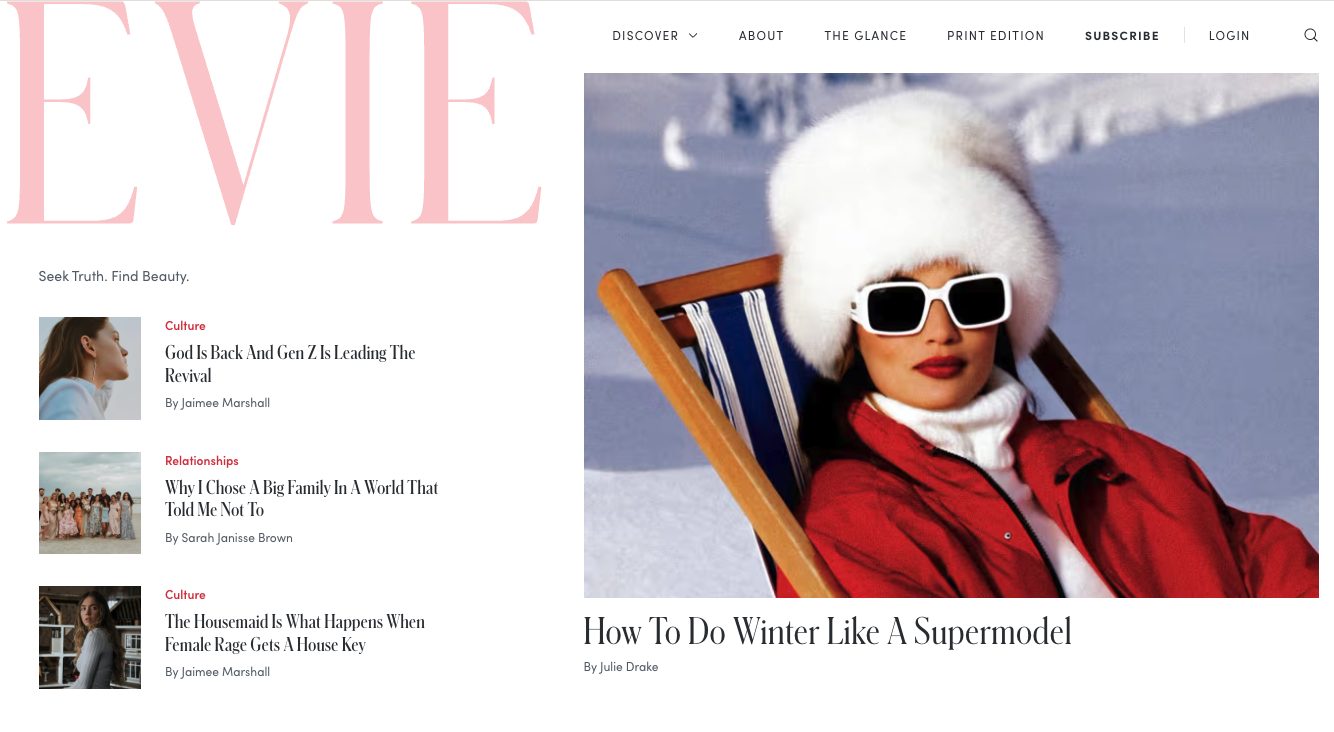
 TIL about Evie magazine.
 I would actually be very pleased to have a new mower blade.
Hey, it's new to me!
Everyone looks like they're just trying not to get hurt (makes sense and all, but it's noticeable).
Neville Chaimberlain his ass!
The Surly Horns? Drop the "the." It's cleaner. Ooof. It's simple and clean but will take some getting used to.
I would actually be very pleased to have a new mower blade.
Hey, it's new to me!
Everyone looks like they're just trying not to get hurt (makes sense and all, but it's noticeable).
Neville Chaimberlain his ass!
The Surly Horns? Drop the "the." It's cleaner. Ooof. It's simple and clean but will take some getting used to. We don't care. Prosecute him. I saw Matt Groening's name mentioned. I like The Simpsons as much as anyone but if he's got to fry, fry him.
I've seen this in multiple places now. What's the verdict?Football ... Basketball ... Baseball ... Other Sports ... Futbol ... 🤫995🤫 ... Gambling ... Movies & TV ... Music ... Hobbies ... Lulz ... Food & Travel ... Daily Texan ... Business & Markets ... Cloak Room ... Help ... For Sale ... Board Discussion ... Advertise... Tailgate Donations
We don't care. Prosecute him. I saw Matt Groening's name mentioned. I like The Simpsons as much as anyone but if he's got to fry, fry him.
I've seen this in multiple places now. What's the verdict?Football ... Basketball ... Baseball ... Other Sports ... Futbol ... 🤫995🤫 ... Gambling ... Movies & TV ... Music ... Hobbies ... Lulz ... Food & Travel ... Daily Texan ... Business & Markets ... Cloak Room ... Help ... For Sale ... Board Discussion ... Advertise... Tailgate Donations









Account
Search
Configure browser push notifications
Chrome (Android)
- Tap the lock icon next to the address bar.
- Tap Permissions → Notifications.
- Adjust your preference.
Chrome (Desktop)
- Click the padlock icon in the address bar.
- Select Site settings.
- Find Notifications and adjust your preference.
Safari (iOS 16.4+)
- Ensure the site is installed via Add to Home Screen.
- Open Settings App → Notifications.
- Find your app name and adjust your preference.
Safari (macOS)
- Go to Safari → Preferences.
- Click the Websites tab.
- Select Notifications in the sidebar.
- Find this website and adjust your preference.
Edge (Android)
- Tap the lock icon next to the address bar.
- Tap Permissions.
- Find Notifications and adjust your preference.
Edge (Desktop)
- Click the padlock icon in the address bar.
- Click Permissions for this site.
- Find Notifications and adjust your preference.
Firefox (Android)
- Go to Settings → Site permissions.
- Tap Notifications.
- Find this site in the list and adjust your preference.
Firefox (Desktop)
- Open Firefox Settings.
- Search for Notifications.
- Find this site in the list and adjust your preference.